





































Plan and schedule social media for your small business.

Plan your social media calendar, create with AI or your own content, and schedule posts across accounts—all in one place.

Releasing soon
One launch email. Privacy

Enable JavaScript or reload to join.

Static example Monday Coffee
Monday Coffee

Campaigns

Active 1Archived 0
+ New campaign

A week at the café

Scheduled


A ceramic coffee cup on a café counter with a barista behind itCroissants and strawberry pastries beside a yellow coffee cupA ceramic coffee cup on a café counter with a barista behind it
Oct 19–23, 2026 · 3 posts
InstagramTikTok
3 scheduled

Less time managing social.
More time growing your business.

01Plan

Find a post idea or plan a whole campaign.

Flower arrangements and reference photos for planning a florist’s social media campaign.

02Create

Get AI drafts and guidance on what to shoot.

Bakery pastries photographed for a social media post.

03Publish

Create once. Review and publish across accounts.

Fitness content prepared for a social media publishing calendar.

04Track

See views, likes and comments by platform.

Outdoor photography used to review social media post performance.
Preview & approve

See it before
your audience does.

Check your post in each platform’s layout, fine-tune the details and choose when it goes live. Nothing publishes until you approve it.

Check every destination

Switch between your selected accounts to review how the caption, photos or video will appear. Catch formatting issues or a wrong account before your audience sees them.

Make the final changes

Edit the caption, replace media and review each platform’s posting options. Whether you start with AI or your own content, you control the final version.

Approve now. Publish on your schedule.

Publish now or schedule a time for each destination. After approval, check delivery status in Lumera to see what published and what needs attention.

Sunday SkinDaily essentials
Example post
Review before publishing
  • DestinationInstagram · Sunday Skin
  • Post typePhoto & caption
  • Publish timeMonday · 10:00 AM
Awaiting your approvalYou decide when this post is ready.
Workspaces

One space for
every project.

Keep each brand’s content, creative direction and social accounts together. Switch projects without mixing them up.

Your content, organized
Keep campaigns, posts and your media library with the brand they belong to.
AI with the right context
Give each workspace its own content profile and posting style to guide ideas and drafts.
The right accounts, every time
Connect each brand’s social accounts to its workspace and choose where each post goes.
Your workspacesExample
Handmade plum and ivory ceramic cups and a serving bowl on stone

North Studio

Ceramics studio

Handmade ceramics for everyday rituals.

Post style
Warm & natural
Content focus
Craftsmanship & collections
Campaigns
2
Scheduled posts
12
Photos & videos
18
Connected accounts
InstagramFacebook
Analytics

Find the posts
worth repeating.

See what earns attention on each platform, then use those results to shape your next post.
See each platform clearly
Views, likes, comments and more, with separate results for each social platform.
Find your strongest content
Filter by date, account or campaign. Rank posts by the metric you care about and take a closer look.
Take your results with you
Export your filtered results to CSV for your own reports or a client update.
Trail SupplyPost performance
Example
Activity Last 30 days
↑ 24% views vs previous 30 days
Illustrative comparison
Posts published Oct 1–14Lifetime totals · 3 posts

Top posts by views

Instagram
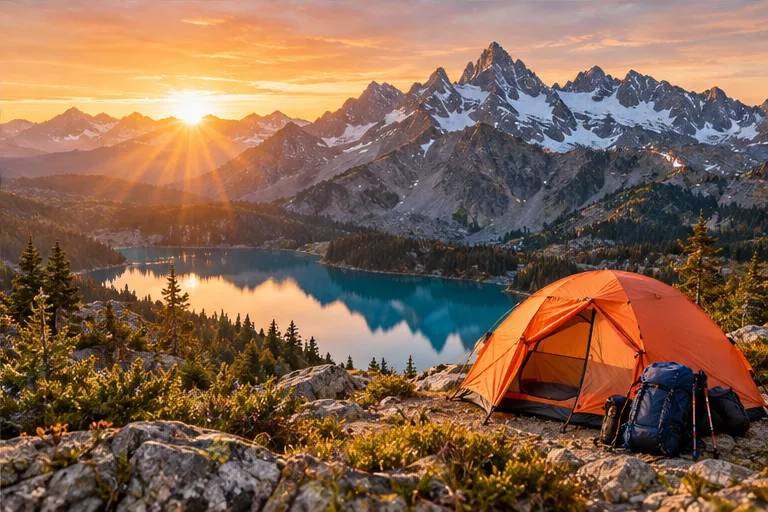
  1. An orange tent overlooking a turquoise alpine lake at sunrise
    Find your next escape18,600
    Oct 3 · views
  2. A mountain valley in warm morning light
    Pack light. Go further.9,400
    Oct 7 · views
  3. An orange tent overlooking a turquoise alpine lake at sunrise
    A weekend worth unplugging4,800
    Oct 12 · views

Illustrative data. Available metrics vary by account and platform.

Beyond the browser

More ways to use Lumera.

iOS app Coming soon

Take your content with you.

Create, review and manage your schedule on iPhone.

Your system
Lumera API
ContentWorkspacesSocial accounts
API

Connect your own tools.

Create and schedule posts from your own apps using the Lumera API.

Plan next week’s content.
Lumera

A campaign. Three posts.
Ready for your review.

Review campaign
ChatGPT plugin Coming soon

Start with a conversation.

Ask ChatGPT to draft posts and campaigns for you to review in Lumera.

Questions?

Who is Lumera designed for?
Lumera is designed for creators, businesses and teams that want a more organized way to plan and manage their social media content. Whether you manage one brand or several client accounts, separate workspaces keep your campaigns, media and connected accounts together. Explore Lumera’s planning and publishing tools to see how they fit your workflow.
Can I manage multiple brands or client accounts in Lumera?
You can organize each brand, client or personal project in its own workspace. Each workspace keeps its content profile, campaigns, media and connected social accounts separate, so you can switch projects without mixing up their content. The workspace profile also gives AI suggestions context about the brand you are creating for.
Can I plan my content in a social media calendar?
Lumera’s social media calendar helps you organize upcoming posts and see your publishing schedule in one place. You can prepare individual posts or plan a campaign around a set of dates, then review each post before approving its schedule. This makes it easier to plan ahead and keep related content organized.
Can I schedule posts to multiple social media accounts at once?
Yes. You can prepare a post, select your connected social media accounts, and review the content and settings for each destination before scheduling. This lets you manage publishing from one place while adapting each post to the platform’s requirements. Once approved, you can check delivery status in Lumera; the exact publishing time may vary with each platform’s processing.
How can Lumera help me decide what to post?
Lumera uses the context in your workspace profile, along with relevant online research, to suggest post ideas, captions and guidance on what to photograph or film. You can explore different directions, refine a suggestion or develop a group of related posts into a campaign. Every suggestion is a starting point that you can edit to reflect your brand’s voice and goals.
Can I create and schedule posts without using AI?
Absolutely. You can write your own captions, upload your photos or videos, and organize and schedule posts using Lumera’s content planning tools. AI assistance is optional, so you can use it for inspiration or drafting whenever it is helpful and continue creating manually whenever you prefer.
Will Lumera publish content without my approval?
You stay in control of what is published. Before approving a post, you can review its caption, media, destination accounts, platform settings and scheduled time. AI-generated ideas and drafts do not publish automatically; Lumera only proceeds with publishing after you approve the post.
What social media analytics can I see in Lumera?
Lumera brings available post metrics, such as views, likes, comments and replies, into separate reports for each connected social platform. You can review results by date, account or campaign, identify your strongest posts, and export filtered results to CSV to support your planning or reporting. Available metrics and how quickly they update depend on the platform and your account’s permissions; explore Lumera’s analytics tools for more detail.
Which social media platforms does Lumera support?
Lumera supports YouTube, TikTok, Facebook, Instagram, Threads, LinkedIn, Google Business Profile, Bluesky, Mastodon, Substack, Pinterest, and Snapchat. Use Facebook Pages and Instagram Business or Creator accounts. Explore our social media integrations for account types, publishing formats and platform-specific capabilities.
How can I use Lumera with my own tools?
Use Lumera in your browser or connect your own apps and workflows through the Lumera API with Pro or Max. App and API generations share your plan’s monthly allowance, so you can choose the workflow that fits your business.
How do I get notified when Lumera launches?
Join the notification list to receive an email when Lumera launches. Enter your email in the form on this page; joining the list does not create an account or start a paid subscription.

Get notified at launch.

Releasing soon
One launch email. Privacy

Enable JavaScript or reload to join.